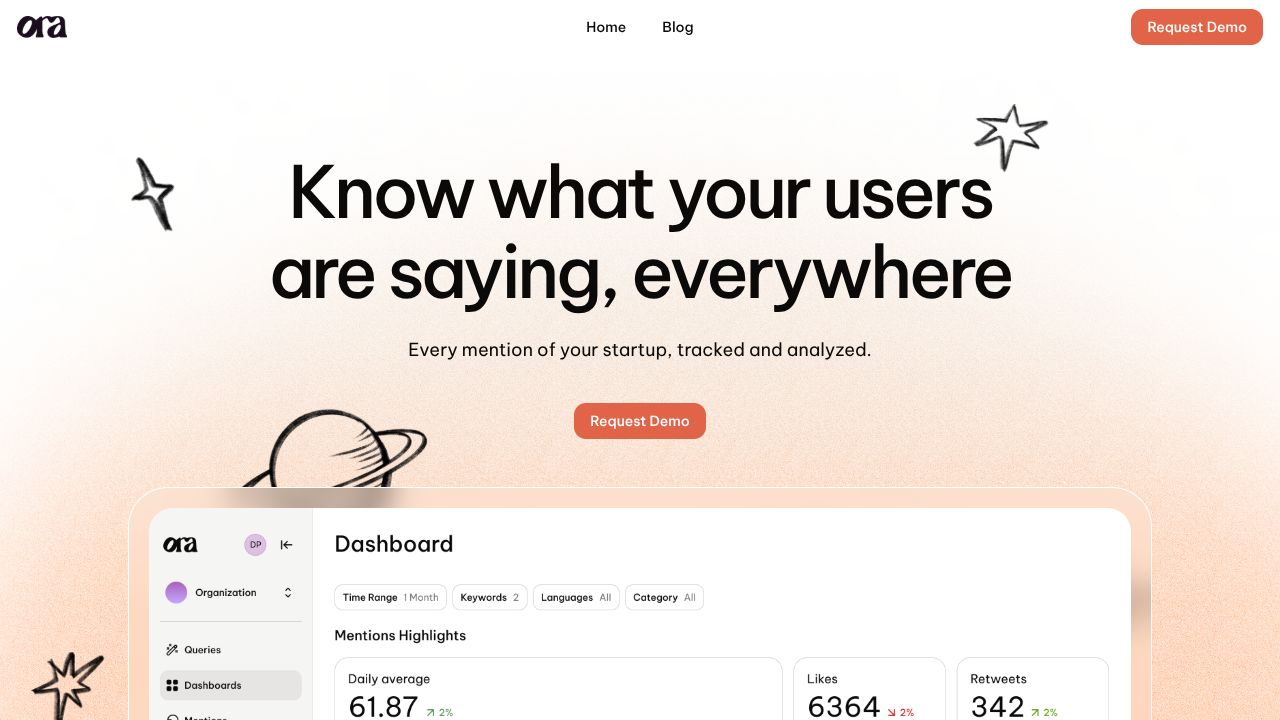
Why Ora is Your Next Growth Secret Weapon: Full Tutorial
The Personalization Paradox: Why Your Outreach is Falling Flat
You know the drill—you spend forty minutes researching a single high-value lead, crafting the perfect "human" email, only to realize you have two hundred more to go before Friday. The clock is ticking, your CRM is a mess of half-finished drafts, and the "spray and pray" temptation starts to look like the only way to hit your numbers. We’ve all been there, sitting in our weekly team huddles, debating whether to prioritize quality or quantity. While tools like Laxis are fantastic for capturing the nuances of a live meeting once you actually get the prospect on the call, the hurdle has always been that initial connection. That’s where Ora comes in. It’s not just an AI writer; it’s a full-scale sales assistant designed to turn Lavender’s insights into automated, CRM-synced growth.
Step 1: Architecting Your AI Command Center
Getting started with Ora feels less like installing software and more like hiring a digital Chief of Staff. Our team found the initial setup surprisingly intuitive, especially compared to more manual transcription or data entry workflows. To begin, you’ll connect your existing email and CRM (Ora plays exceptionally well with HubSpot and Salesforce).
The "magic moment" for us was the enrichment sync. Instead of manually scouring LinkedIn, you’ll authorize Ora to pull data points that inform its AI. We recommend starting with a small segment of your "Tier 1" leads to see how the AI interprets your brand voice before scaling to your entire database.
Step 2: Mastering the "Growth Unpacked" Toolkit
To get the most out of Ora, our collective suggests focusing on these four pillars:
- ├─Deep Personalization Enrichment: Ora doesn't just pull a job title; it looks for triggers. We’ve used it to scan recent company news and weave those insights into the opening line of an email automatically.
- ├─The CRM Two-Way Sync: Unlike some tools that leave you with a "copy-paste" nightmare, Ora pushes follow-ups and reply data directly into your CRM. It keeps your pipeline clean without the manual data entry.
- ├─Automated Follow-Up Sequences: We tested this against manual tracking and found that Ora’s ability to "read the room"—adjusting the tone of a second or third email based on initial engagement—boosted our internal test reply rates significantly.
- ├─Reply Rate Analytics: The dashboard provides a "no-fluff" look at what’s actually converting. It helps our team kill underperforming scripts faster than we ever could with manual A/B testing.
Step 3: Pro Tips for High-Velocity Marketing Teams
One thing we’ve learned from our diverse backgrounds in marketing is that "one size fits all" is a lie. To truly excel with Ora, use the "Human-in-the-Loop" strategy. Instead of letting the AI run 100% autonomous, set a "Review Required" trigger for leads above a certain deal value.
Additionally, leverage Ora for re-engagement campaigns. We often have "closed-lost" leads sitting in our CRM gathering dust. Use Ora to scan for new updates at those companies (like a new round of funding) and trigger a personalized "congratulations" email that feels authentic rather than automated.
Common Mistakes to Avoid
- ├─Over-Automating the First Touch: Even with great AI, the very first interaction should have a final human "sanity check." Don't let the bot send something that sounds too "uncanny valley."
- ├─Ignoring the Data Feedback Loop: If Ora tells you your reply rates are dropping, don't just blame the AI. Check your offer. The best tool in the world can't sell a product nobody wants.
- ├─Neglecting CRM Hygiene: If your Salesforce or HubSpot data is "garbage in," Ora will produce "garbage out." Clean your lead lists before syncing.
Navigating the AI Communication Ecosystem
When we look at the broader landscape of communication tools, it’s important to choose the right tool for the specific job.
- ├─Ora vs. Laxis: While Laxis is our go-to for transcribing meetings and generating post-call insights, Ora is focused on the outreach phase. If you need to turn a 30-minute Zoom call into a summary, use Laxis. If you need to get that person on the Zoom call in the first place, use Ora.
- ├─Ora vs. Gglot: For teams operating globally, Gglot offers incredible multilingual transcription. However, Gglot is a utility for converting speech to text, whereas Ora is a strategic sales engine.
- ├─Ora vs. Temi: Temi is excellent for journalists who need a quick, cheap transcript of an interview. But for a marketer looking to drive growth and manage a CRM-heavy workflow, Temi lacks the automation and sales intelligence that makes Ora a powerhouse.
Conclusion: Is Ora Right for You?
If your team is struggling to balance the need for high-volume outreach with the necessity of deep personalization, Ora is a game-changer. It bridges the gap between a simple "email sender" and a high-level sales assistant. We’ve found that for teams already using Lavender, the evolution to Ora is a natural, high-ROI step. It allows us to focus on what we do best—building strategy and community—while the AI handles the heavy lifting of the "first touch." Give it a shot, and let’s get those reply rates moving.